This tutorial shows, in a few minutes, how a game against the AI goes. For the full rules, see the Rules page in the menu. The screenshots come from the French version of the site.
1. Create the game
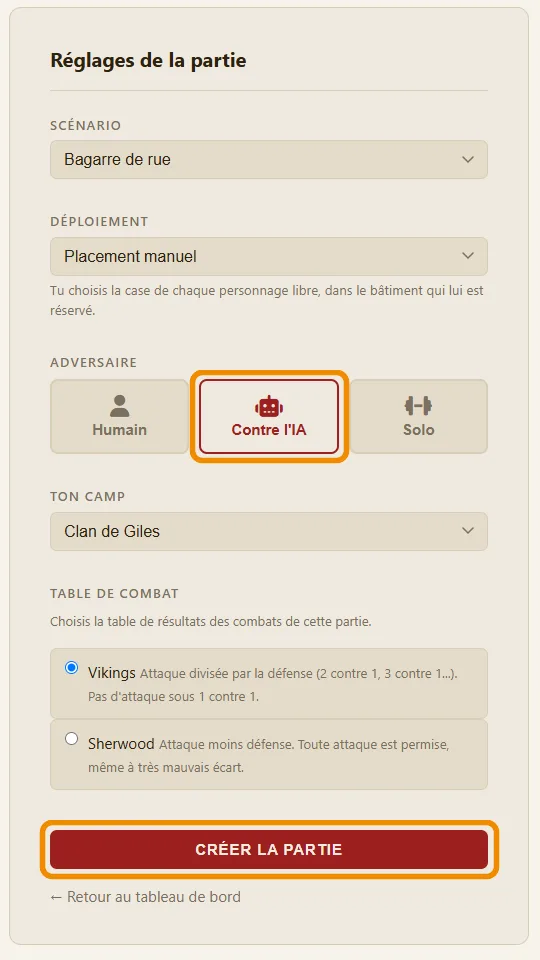
Go to the Play page, then click Create a new game. In the form:
- choose the scenario (Street Fight is the easiest one to start with);
- choose the deployment: manual (you place your counters) or random;
- click vs AI;
- choose your side: the AI takes the other one;
- choose the melee table: Vikings (attack divided by defence) or Sherwood (attack minus defence).
Finally click Create the game: you go straight to the map.
2. Place your counters
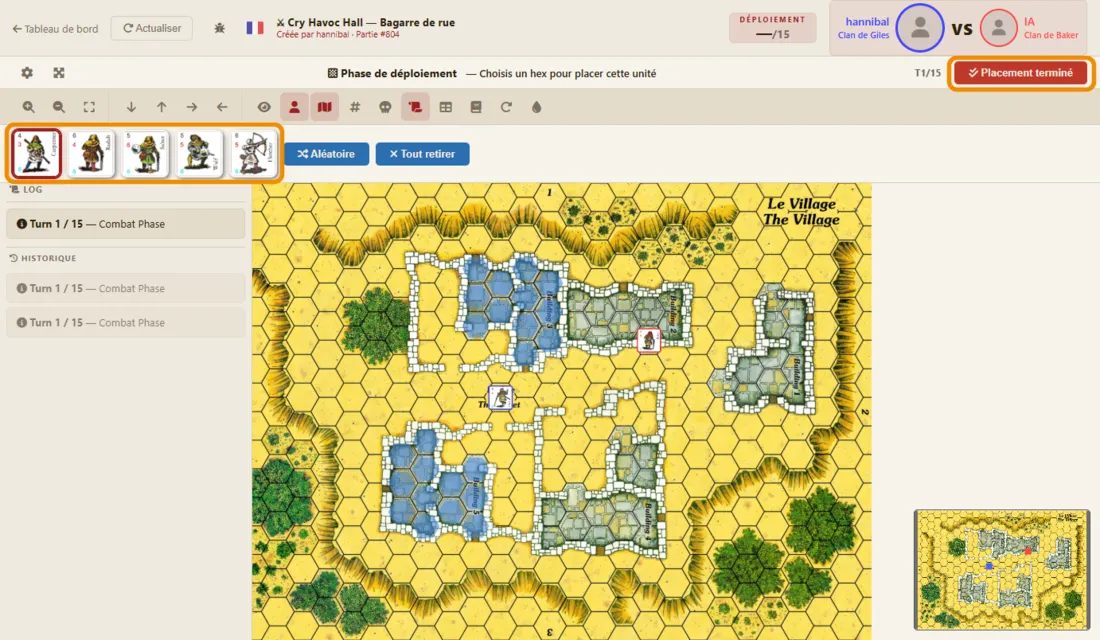
With manual deployment, your counters wait at the top of the screen. Click a counter: the hexes where it may go light up in blue. Then click a hex to place it there. The Random and Remove all buttons help you go faster.
When everyone is placed, click Placement done. The AI then places its own counters, and the game begins.
3. Watch the AI's turn (the replay)
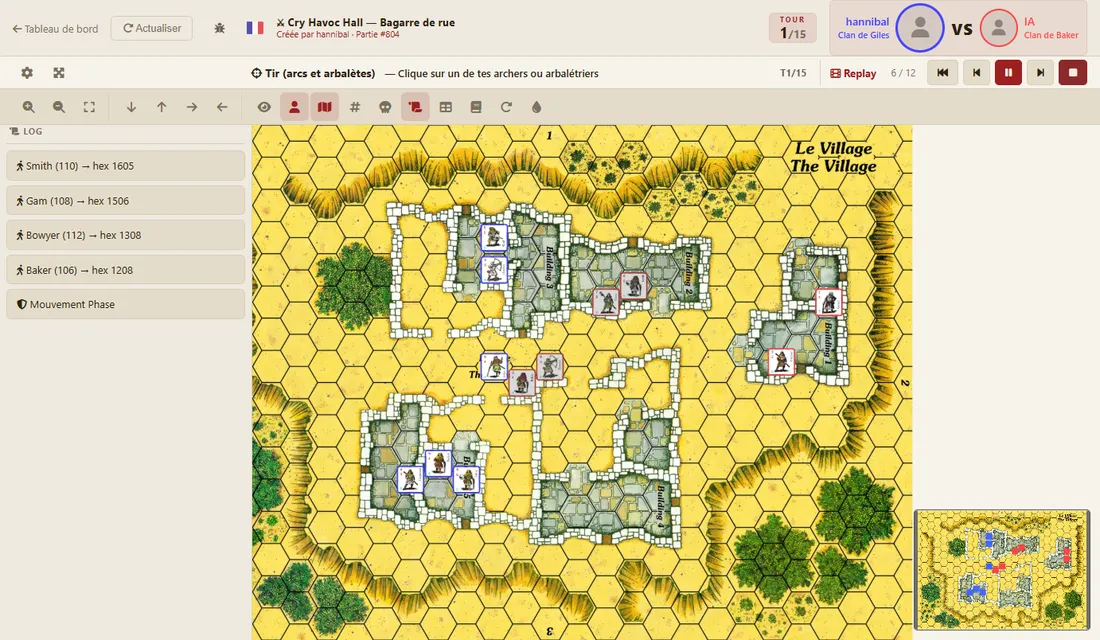
When it is the AI's turn, it plays at once. Then a replay shows you what it did: its shots, its moves, its infiltration tests, its combats, with the dice. You only see the AI's moves again, never your own.
The replay starts by itself. The replay bar, at the top right (framed in orange), leaves you in control:
- go back to the start, to see everything again;
- step back or step forward one move, at your own pace;
- play or pause;
- stop (red square): the replay disappears and you play your turn.
The counter shows where you are (for example 3 / 12). During the replay, you can zoom and move the map as usual. The replay stays available until you click the red square.

While it plays, the log on the left lists each of the AI's actions.
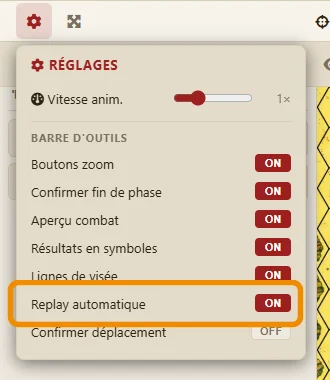
If you prefer to start the replay yourself, open the settings (the cog at the top left) and set Auto-play replay to OFF. The replay bar then appears paused, and you click play whenever you like.
4. Play your turn: shooting, movement, combat
Your turn has three phases, always in this order. The red button at the top right ends the current phase.
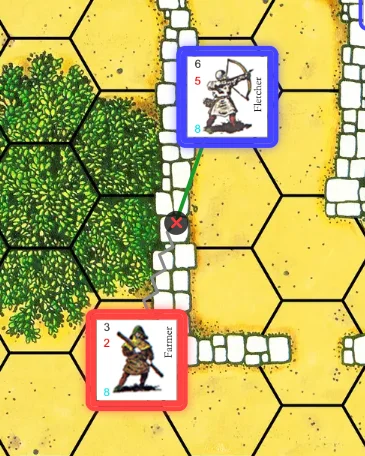
Shooting. Click one of your archers, then an enemy: the line of sight appears. Green, the shot is possible; a cross shows what blocks it (here, a wall).
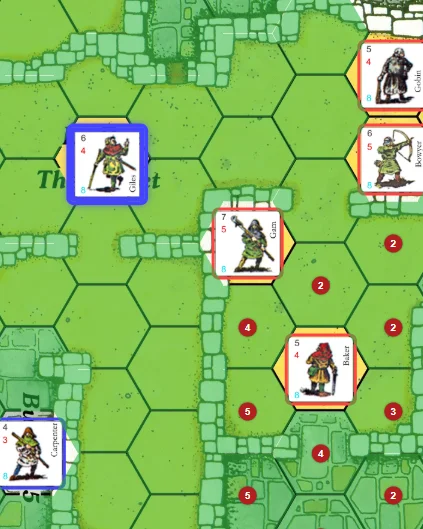
Movement. Click one of your counters: the hexes it can reach light up in green. A small red number on a hex gives the number of infiltration tests needed to get there: moving next to an enemy can cost you a wound, or even your life.
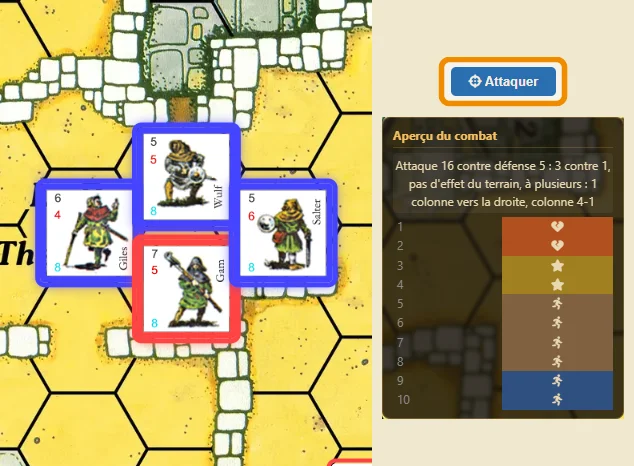
Combat. Click one or more of your counters in contact with an enemy, then the enemy. The combat preview shows the odds and the ten possible results of the die, as symbols. Attacking together gives better odds. Click Attack to roll the die.
5. Read the results
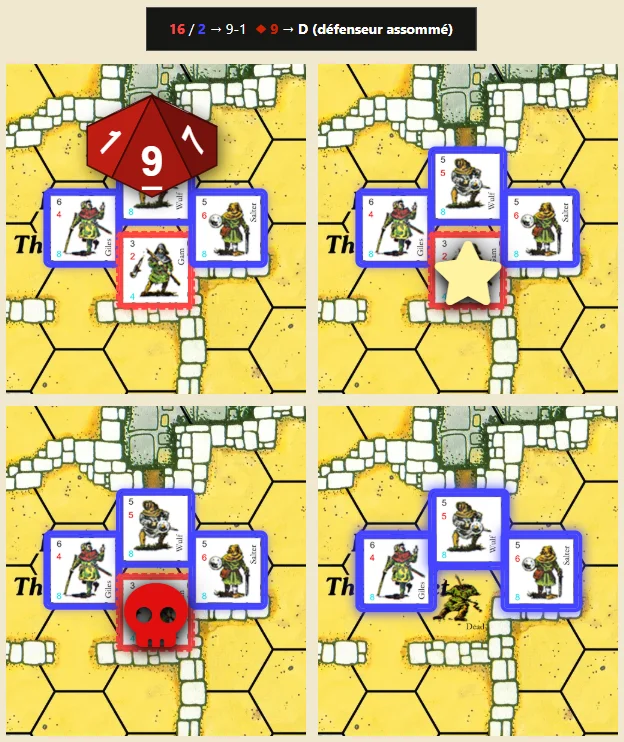
When you click Attack, the ten-sided die rolls above the counters. The result then appears as a symbol on the counter that suffers it (the defender, or your attackers if the roll goes badly):
- a running man (yellow): the counter retreats one hex;
- a star (pale yellow): it is stunned;
- a broken heart (red): it is wounded;
- a skull (red): it is killed; its counter flips over and stays on the map;
- a cross (grey): the attack did nothing.
The symbols follow one another when one effect leads to another: a character already wounded or stunned who is wounded or stunned again is killed. You then see, for example, the star and then the skull.
The black banner at the top sums up the combat: attack against defence, the odds, the die, then the result letter and its effect. The log, on the left, keeps a record of each combat.
When the defender retreats or dies, your attackers may advance into the hex it left. Click an attacker to see its hexes, or click Skip the advance. When all your combats are done, End combat ends your turn: the AI plays at once.

6. The end of the game
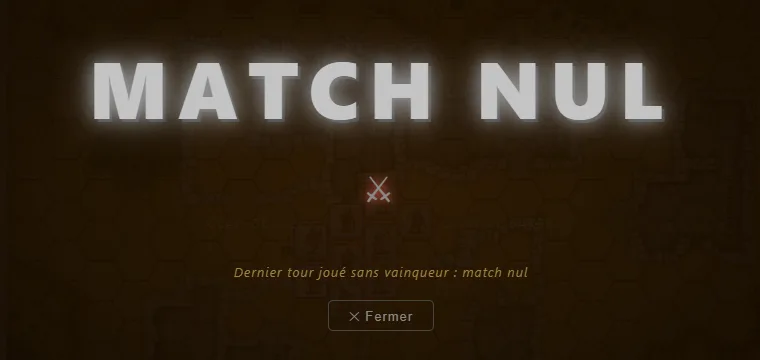
The game ends when a side has no living character left, or at the end of the last turn: victory then goes to the side with the most points (if the scenario counts points), otherwise it is a draw. A large banner announces the result; you can then look at the map again.
The AI is not the same in every game: each of its characters gets a random temperament (fearful, ordinary, bold or fierce). Some charge alone, others wait for their friends before attacking. It follows exactly the same rules as you.